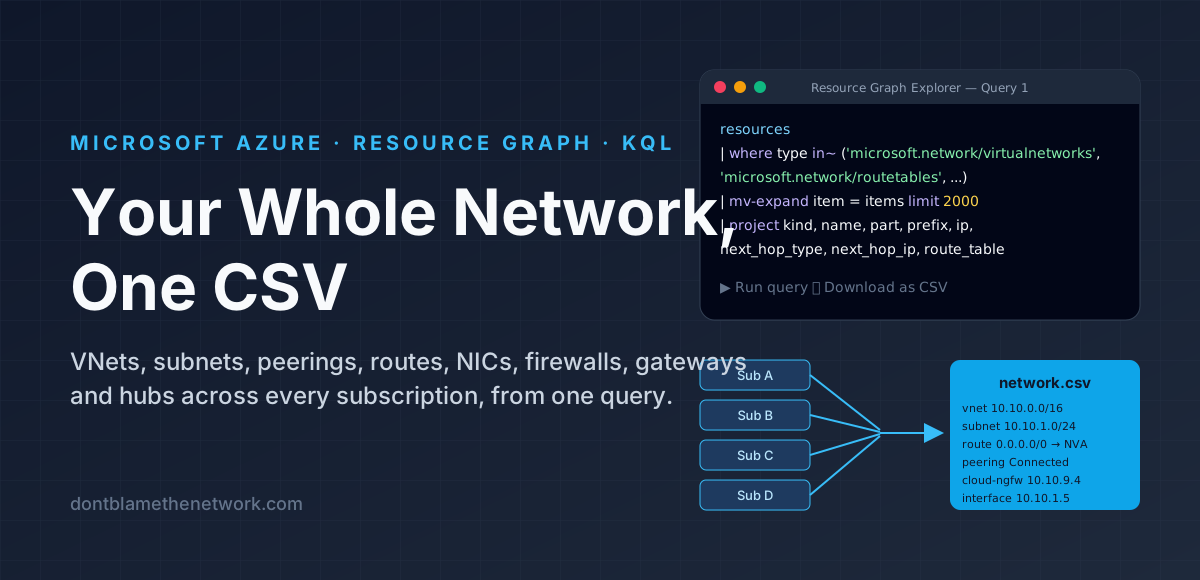
Documenting an Azure network by clicking through portal blades does not scale. Every VNet has its own page, every subnet its own route table link, every NIC its own IP configuration, and the moment you have more than one subscription the picture is scattered across tenancies you have to switch between. Azure Resource Graph fixes this: it is a read-only index of every resource you can see, across every subscription at once, queried with KQL. This article gives you one query that pulls the pieces a network engineer actually cares about — address spaces, subnets, peerings, user-defined routes, NIC addresses, firewalls, load balancer front ends, VPN and ExpressRoute gateways, Virtual WAN hubs, private endpoints and Palo Alto Cloud NGFWs — into a single flat table, and then one click turns it into a CSV.
What you need: Reader on the subscriptions you want to see (Resource Graph only returns what your account can already read), and the Azure portal. Nothing to install, nothing to run locally. The whole thing takes about two minutes.
What the export looks like
A VNet is not one row. It becomes one vnet row for its address space, one subnet row per subnet, and one peering row per peering. A route table becomes one route row per user-defined route. A NIC becomes one interface row per IP configuration. That is the trick that makes the CSV useful: the things you want to filter on — a prefix, a next hop, a peering state — are each on their own line with their own columns, instead of buried in a JSON blob.
Running the export
- Open the Azure portal and search for Resource Graph Explorer.
- Set the scope. At the top of the editor, change the scope to Directory so the query covers every subscription you can see. The default is often a single subscription, and the export is only as complete as the scope.
- Paste the query below into the editor and select Run query. The results pane shows the first page; a count at the bottom tells you how many rows there are in total.
- Download as CSV from the results toolbar. The download is the full result set, not just the page on screen, up to 55,000 rows.
The query
Paste this exactly as it is. It is one statement; the line breaks are only for reading.
resources
| where type in~ ('microsoft.network/virtualnetworks', 'microsoft.network/routetables',
    'microsoft.network/networkinterfaces', 'microsoft.network/azurefirewalls', 'microsoft.network/loadbalancers',
    'microsoft.network/virtualnetworkgateways', 'microsoft.network/virtualhubs',
    'microsoft.network/privateendpoints', 'paloaltonetworks.cloudngfw/firewalls')
| extend t = tolower(type)
| extend vm = tostring(properties.virtualMachine.id), pe = tostring(properties.privateEndpoint.id),
    forwarding = tostring(properties.enableIPForwarding), gateway_type = tostring(properties.gatewayType),
    bgp_off = tostring(properties.disableBgpRoutePropagation)
| extend items = case(
    t == 'microsoft.network/virtualnetworks', array_concat(pack_array(pack('space', properties.addressSpace.addressPrefixes)),
        properties.subnets, properties.virtualNetworkPeerings),
    t == 'microsoft.network/routetables', properties.routes,
    t in ('microsoft.network/networkinterfaces', 'microsoft.network/virtualnetworkgateways'), properties.ipConfigurations,
    t == 'microsoft.network/azurefirewalls' and array_length(properties.ipConfigurations) > 0, properties.ipConfigurations,
    t == 'microsoft.network/loadbalancers', properties.frontendIPConfigurations,
    pack_array(properties))
| mv-expand item = items limit 2000
| extend p = item.properties
| project
    kind = case(t == 'microsoft.network/virtualnetworks' and isnotnull(item.space), 'vnet',
        t == 'microsoft.network/virtualnetworks' and isnotnull(p.remoteVirtualNetwork), 'peering',
        t == 'microsoft.network/virtualnetworks', 'subnet',
        t == 'microsoft.network/routetables', 'route',
        t == 'microsoft.network/networkinterfaces', 'interface',
        t == 'microsoft.network/azurefirewalls', 'azure-firewall',
        t == 'microsoft.network/loadbalancers', 'load-balancer',
        t == 'microsoft.network/virtualnetworkgateways', 'gateway',
        t == 'microsoft.network/virtualhubs', 'hub',
        t == 'microsoft.network/privateendpoints', 'private-endpoint',
        'cloud-ngfw'),
    name, part = tostring(item.name), id, subscription = subscriptionId,
    subnet = coalesce(tostring(p.subnet.id), tostring(item.subnet.id),
        tostring(item.networkProfile.vnetConfiguration.trustSubnet.resourceId)),
    prefix = case(isnotnull(item.space), strcat_array(item.space, ' '),
        isnotnull(p.remoteVirtualNetwork), strcat_array(p.remoteAddressSpace.addressPrefixes, ' '),
        isnotnull(p.addressPrefixes), strcat_array(p.addressPrefixes, ' '),
        coalesce(tostring(p.addressPrefix), tostring(item.addressPrefix))),
    ip = coalesce(tostring(p.privateIPAddress), tostring(item.networkProfile.vnetConfiguration.ipOfTrustSubnetForUdr.address),
        tostring(item.networkProfile.vwanConfiguration.ipOfTrustSubnetForUdr.address),
        tostring(item.hubIPAddresses.privateIPAddress)),
    next_hop_type = tostring(p.nextHopType), next_hop_ip = tostring(p.nextHopIpAddress),
    target = coalesce(tostring(p.remoteVirtualNetwork.id), tostring(item.virtualHub.id),
        tostring(item.networkProfile.vnetConfiguration.vnet.resourceId),
        tostring(item.networkProfile.vwanConfiguration.vHub.resourceId),
        tostring(item.privateLinkServiceConnections[0].properties.privateLinkServiceId),
        tostring(item.manualPrivateLinkServiceConnections[0].properties.privateLinkServiceId)),
    route_table = tostring(p.routeTable.id),
    extra = strcat('vm=', vm, ';pe=', pe, ';forwarding=', forwarding, ';gateway=', gateway_type, ';bgp_off=', bgp_off,
        ';state=', tostring(p.peeringState), ';remote_gateways=', tostring(p.useRemoteGateways),
        ';forwarded=', tostring(p.allowForwardedTraffic), ';host=', tostring(item.panoramaConfig.hostName))
What each row means
The kind column tells you what a row is. The rest of the columns are shared, and which ones are filled depends on the kind.
kind | One row per | Columns that matter |
|---|---|---|
vnet | virtual network | prefix is the whole address space, space-separated if there is more than one range |
subnet | subnet | part is the subnet name, prefix its range, route_table the attached UDR table (blank means system routes only) |
peering | VNet peering | target is the remote VNet, prefix the remote address space, and extra carries state, remote_gateways and forwarded |
route | user-defined route | prefix is the destination, next_hop_type and next_hop_ip say where it goes, extra has bgp_off for the table |
interface | NIC IP configuration | ip is the private address, subnet where it sits, extra has the attached vm, pe for a private endpoint NIC, and forwarding |
azure-firewall | firewall IP configuration | ip is the firewall's private address (the one your UDRs should point at); hub-deployed firewalls have no IP configurations and fall back to hubIPAddresses |
load-balancer | front-end IP configuration | ip for internal load balancers, blank for public ones |
gateway | gateway IP configuration | subnet is the GatewaySubnet, extra has gateway=Vpn or ExpressRoute |
hub | Virtual WAN hub | prefix is the hub address space |
private-endpoint | private endpoint | subnet where its NIC lives, target the service it connects to |
cloud-ngfw | Palo Alto Cloud NGFW | ip is the trust-subnet address to use as a UDR next hop, subnet the trust subnet, target the VNet or vWAN hub it serves, and extra has the Panorama host it reports to |
Every row also carries name (the parent resource), id (the full resource ID, which doubles as the resource group and subscription path) and subscription. The extra column is a single key=value;key=value string so the table stays at thirteen columns; split it in a spreadsheet with Text to Columns on ; if you want the flags separated.
How the query works
It is four moves, and knowing them makes the query easy to extend.
- Filter to the nine resource types.
in~is the case-insensitive version ofin, which matters because Resource Graph stores types in lower case while the portal shows them in mixed case. - Pick the list inside each resource and expand it. The
itemsexpression chooses which array to split per type: subnets and peerings for a VNet, routes for a route table, IP configurations for NICs, gateways and firewalls, front ends for load balancers. Resources with nothing to split are wrapped in a one-element array so they still produce a row.mv-expandthen turns each array element into its own row. Thelimit 2000is the maximum Resource Graph allows per resource; the default is 128, which would silently truncate a route table with more routes than that. - Classify. The
kindexpression looks at the type and at what the expanded item contains: a VNet item with aspacefield is the address space, one with aremoteVirtualNetworkis a peering, anything else is a subnet. - Fold different fields into shared columns. A subnet's range is in
addressPrefix, a VNet's inaddressSpace.addressPrefixes, a peering's inremoteAddressSpace;coalesceandcasepick whichever one exists so they all land inprefix. The same happens forip,subnetandtarget.
To add another resource type, add it to the in~ list, tell items which array to expand (or let it fall through to the whole properties), and give it a kind.
Questions the CSV answers
Open it in a spreadsheet, turn on filters, and the audit questions that used to take an afternoon are a filter each.
| Question | Filter |
|---|---|
| Which subnets have no route table? | kind = subnet and route_table blank |
| What does every default route point at? | kind = route, prefix = 0.0.0.0/0; group by next_hop_ip |
| Which UDRs send traffic to an appliance, and is it still there? | kind = route, next_hop_type = VirtualAppliance; match next_hop_ip against the ip of azure-firewall, cloud-ngfw and interface rows |
| Which peerings are broken or one-sided? | kind = peering and extra does not contain state=Connected |
| Which VNets use a remote gateway? | kind = peering and extra contains remote_gateways=true |
| Which VMs are acting as routers? | kind = interface and extra contains forwarding=true |
| Where do two subscriptions overlap? | sort kind = vnet rows by prefix and look for neighbours that collide |
| Which Cloud NGFWs report to which Panorama? | kind = cloud-ngfw, read host= in extra |
| Which private endpoints exist, and to what? | kind = private-endpoint, read target |
Limits worth knowing
- Scope is permissions. Resource Graph returns only resources your account can read. If a subscription is missing from the CSV, you are missing Reader on it, not a line in the query. Subscriptions delegated to you through Azure Lighthouse are included.
- 55,000 rows. That is the platform cap on Download as CSV and it cannot be raised by a support ticket. Most estates are nowhere near it; if yours is, run the query twice with a
where subscriptionId in (...)line splitting the subscriptions. - Expansion caps. At most 2,000 items per resource from
mv-expand, and at most threemv-expandoperators in one query. This query uses one. - It is a point-in-time index. Resource Graph updates within seconds to minutes of a change, so a VNet created moments ago can be missing. Re-run, do not trust a stale CSV.
- Scripting it. The same query runs from the CLI with the
resource-graphextension, which is the route to a scheduled export. Results come in pages of up to 1,000, and the--skip-tokenfrom one page fetches the next.
az extension add --name resource-graph
az graph query -q "$(cat network.kql)" --first 1000 -o json > network-page1.json
Key takeaways
Resource Graph is a read-only, cross-subscription index of everything you can see, queried with KQL from the portal with nothing to install. Set the scope to Directory, paste the query, Run, Download as CSV. The query turns nine resource types into one table by expanding each resource into its subnets, peerings, routes and IP configurations, classifying every row with akind, and folding type-specific fields into sharedprefix,ip,next_hopandtargetcolumns. Keeplimit 2000on the expansion, remember the 55,000-row CSV cap, and re-run it rather than trusting last month's export.
Found it useful, spotted a mistake, or done it differently? Start a thread. The link and title are filled in for you; Reddit will ask you to confirm before it posts.